
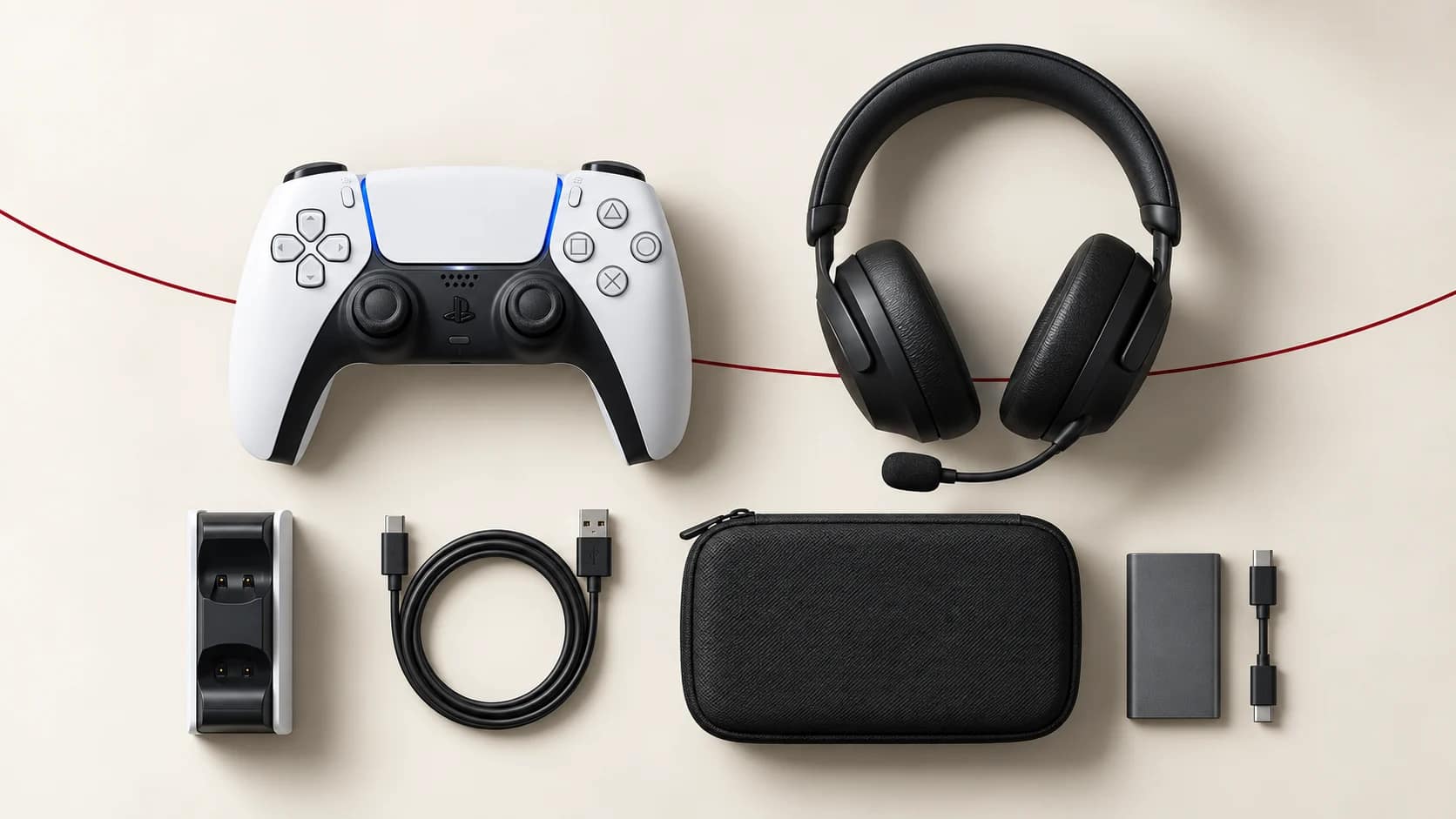
The Essential Gaming Accessories Checklist for Every Console Setup
Leave a commentA gaming setup does not need every accessory advertised online. The right additions solve a real problem: another person needs to play, the controller is always flat, the headset microphone is unclear, storage is full or cables are disorganised.
Use this checklist to prioritise accessories for PlayStation, Xbox, Nintendo, PC and mobile gaming. Compatibility matters more than appearance, so confirm the exact console model before buying.
1. A second controller
A second controller is essential for local multiplayer and useful as a backup while the main pad charges. Match it to how you play:
- Genuine first-party controllers normally provide the platform’s complete feature set
- Clearly labelled third-party controllers may offer a lower-cost option
- Wired controllers can make sense for a fixed desk setup
- Multi-platform controllers are useful only when they genuinely support your devices and games
Do not assume that Bluetooth means universal compatibility. A controller can pair with a device while remaining unsupported in a particular game.
Explore controllers for multiple platforms and read the individual compatibility list before ordering.
2. A suitable gaming headset
A good headset improves team communication and makes late-night gaming less disruptive. Focus on connection type, comfort and microphone performance before RGB lighting.
Check whether your device uses:
- A 3.5 mm headset jack
- USB-A or USB-C audio
- Bluetooth
- A proprietary wireless USB transmitter
Bluetooth headphones may produce delay or lack microphone support on some consoles. A headset that works for music on a phone is not automatically a full gaming headset on PlayStation, Xbox or Nintendo.
For longer sessions, consider ear-cup size, headband pressure, replaceable cushions and whether the cable reaches your normal seating position. Browse gaming headsets available in Uganda.
3. Reliable charging
Charging docks keep controllers organised and reduce competition for USB cables. Before buying, check:
- Exact controller generation
- Whether charging uses contact pins or USB-C
- Number of controllers supported
- Whether the required power adapter is included
- Charging indicators and over-current protection claims
For replaceable-battery Xbox controllers, rechargeable battery packs can reduce disposable battery use. For built-in-battery controllers, avoid damaged or poorly fitting cables.
4. Storage chosen for the correct platform
Storage rules differ greatly between consoles. An external USB drive may store older games but may not run current-generation games directly. Some consoles require a specific expansion-card format.
Nintendo Switch 2 requires microSD Express for expandable game storage, while original Switch models use compatible conventional microSD cards. The cards are physically similar, so read the label carefully.
Before buying storage, confirm:
- Your exact console model
- Whether the storage can play games or only archive them
- Required capacity and speed standard
- Whether the brand and capacity are genuine
Counterfeit memory cards can report a false capacity and corrupt data. Buy from a seller with a clear return process.
5. Protection and carrying cases
A case is useful for portable consoles, controllers and accessories that move between home, school, work or a gaming venue. Look for:
- A firm shell or adequate padding
- A shape that does not press analogue sticks
- A compartment that keeps plugs away from the screen
- Ventilation only where relevant—the device should be off during enclosed transport
- Enough space for the charger without forcing the zip
Screen protectors are especially valuable for handheld systems. Install them on a clean screen in a low-dust area and confirm that the protector matches the exact model.
6. The right cables and adapters
Many gaming problems come from the wrong cable rather than a faulty console. Two cables with the same connector can support different charging rates, data speeds or video standards.
Check the purpose of every cable:
- HDMI for the display resolution and refresh rate you intend to use
- USB cable capable of both power and data when controller pairing or firmware updates require it
- Audio adapter compatible with the console and headset standard
- Network cable rated appropriately for your router and connection
- Legacy AV or controller adapter designed for the exact older console
Avoid stacking multiple low-quality adapters. Each connection adds another possible failure point. Shop by function in cables and adapters.
7. Power and surge protection
Power interruptions can end a match, interrupt an update or, in some circumstances, contribute to data corruption. Use safe, properly rated electrical equipment and keep damaged extension leads out of the setup.
A surge protector and an appropriately selected UPS can be useful, but they solve different problems. A surge protector does not provide backup time. A UPS must be sized for the combined console, display, router and any other equipment you intend to keep running.
For electrical installation or repeated voltage problems, consult a qualified technician rather than improvising with adapters.
8. Network accessories
Competitive online games benefit from a stable connection. When practical, Ethernet can reduce the variability associated with a congested wireless network. If Wi-Fi is necessary:
- Place the router in an open location
- Avoid hiding it behind a TV or inside a cabinet
- Use the appropriate Wi-Fi band for distance and congestion
- Stop unnecessary downloads during competitive play
- Test latency as well as headline download speed
A more expensive router cannot fix a poor internet service or a distant game server, but good placement and configuration can remove local problems.
9. Mobile gaming controls and cooling
Mobile players may benefit from a controller, trigger grip, phone clamp or stand. Confirm game support first; some competitive titles restrict external input methods or place controller users in different matchmaking groups.
A grip should not press the phone’s volume or power buttons. Powered coolers need a stable fit and external power, and condensation must never form on the device. Browse current mobile gaming accessories by the problem you want to solve.
10. Comfort and organisation
Comfort is performance equipment. A stable chair, sensible screen height and tidy cables matter more over a long session than decorative accessories.
Position the display so you are not constantly bending your neck. Give consoles space around their vents. Use reusable cable ties instead of sharply bending power, HDMI or headset cables. Keep drinks away from controllers and extension sockets.
Buy in priority order
For most setups, a sensible sequence is:
- The correct controller and necessary game
- Safe power and working display connection
- Headset for communication or private audio
- Charging solution or spare batteries
- Storage when the existing capacity becomes restrictive
- Protection for equipment that travels
- Comfort and organisation improvements
Add specialised items only when you understand the use case. A racing wheel can transform supported driving games, for example, but it should not come before a reliable controller if you play many genres.
Frequently asked questions
Which gaming accessory should I buy first?
Buy the accessory that removes your biggest current limitation. For multiplayer, that may be a second controller; for online team games, a compatible headset may matter more.
Are third-party accessories safe?
Many are useful, but quality varies. Check compatibility, electrical ratings, seller support and independent product information. “Compatible” does not mean officially licensed.
Do all USB-C cables work the same way?
No. They can differ in charging power, data support, video capability and build quality even when the connector fits.
Should I buy a cooling fan for my console?
First keep the console clean, unobstructed and installed according to the manufacturer’s ventilation guidance. Consider an accessory only if it is compatible and does not block airflow or draw unsafe power.