
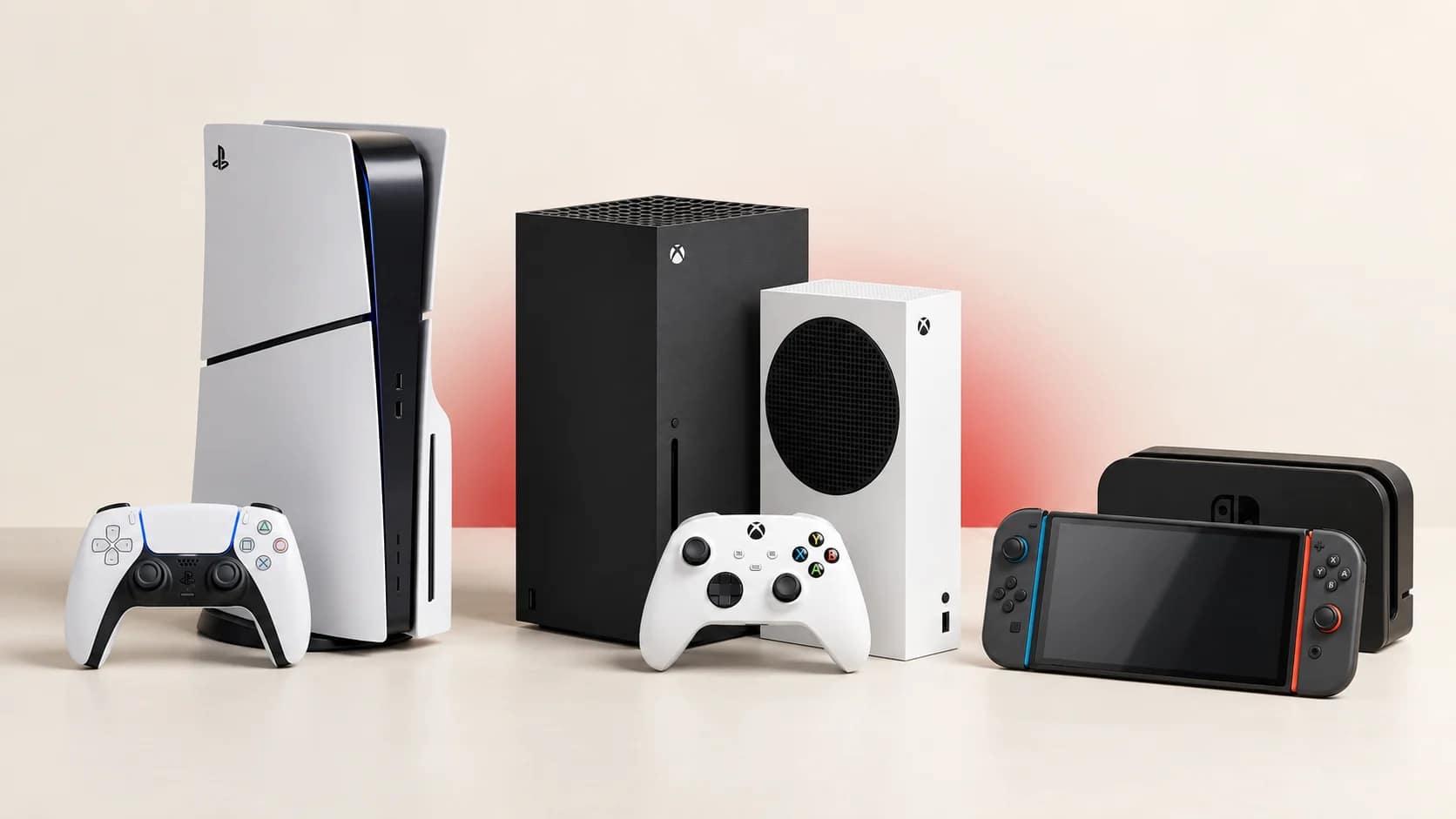
PS5, Xbox Series X|S or Nintendo Switch 2: Which Console Should You Buy in Uganda?
Leave a commentThe best gaming console is not simply the one with the highest specification. It is the one that fits the games you want, the people you play with, your screen, your internet connection and the way you plan to buy games.
For most buyers in Uganda, the main current choices are PlayStation 5, Xbox Series X or Series S, and Nintendo Switch 2. The original Nintendo Switch family can also remain a sensible lower-cost option. This guide focuses on the practical differences rather than declaring one universal winner.
Start with the games you want to play
Before comparing hardware, write down five games you care about. Check which platforms support them and whether your friends already play on one network.
PlayStation is a natural choice for buyers interested in Sony’s first-party series and a large library of PS4 and PS5 titles. Xbox is attractive for its cross-generation ecosystem, backward compatibility and subscription options. Nintendo’s strongest reason is its exclusive franchises and flexible handheld play.
Many major games appear on more than one platform. Cross-platform multiplayer is also common, but it varies by game. Never assume that two friends can play together merely because both versions exist.
PlayStation 5: strong all-round console and disc choice
The PS5 family includes disc and digital configurations, while PS5 Pro targets buyers who place a high value on visual performance. A standard disc-equipped PS5 can play supported PS5 and PS4 game discs as well as downloaded titles. A Digital Edition relies on downloads unless it is a compatible slim model fitted with Sony’s optional disc drive.
PS5 suits buyers who:
- Want PlayStation games and already own compatible PS4 titles
- Prefer the option of physical game discs
- Value the DualSense controller’s haptic feedback and adaptive triggers
- Want a conventional home-console setup on a TV or monitor
Check the exact model rather than relying only on the word “PS5.” Storage capacity, included drive and accessory compatibility can differ across model groups.
Xbox Series X: the choice for discs and native 4K focus
Xbox Series X is the more powerful conventional Xbox Series model. Microsoft offers configurations with a disc drive as well as an all-digital version, so read the exact listing.
Series X suits buyers who:
- Want the stronger Xbox option for a 4K display
- Need a disc-drive model for supported physical Xbox games
- Have an existing Xbox library or compatible Xbox One accessories
- Want features such as Quick Resume and Xbox’s subscription ecosystem
Do not assume every Series X includes a drive. Microsoft’s current family contains both disc and all-digital configurations.
Xbox Series S: compact and digital-only
Xbox Series S is smaller and designed for disc-free gaming. Current versions may offer different internal storage capacities. It targets a lower rendering resolution than Series X but supports many of the same current-generation features.
Series S suits buyers who:
- Buy games digitally and do not need discs
- Prefer a compact console
- Want entry into the current Xbox generation at a lower hardware cost
- Use a 1080p or 1440p display and do not prioritise native 4K
Digital-only ownership makes internet access and storage planning more important. Large downloads can affect both time and data costs. Budget for storage only after checking which expansion options can run current-generation games directly.
Nintendo Switch 2: portable and TV gaming in one system
Nintendo Switch 2 supports handheld, tabletop and TV play. It has a 7.9-inch 1080p display, 256 GB of internal storage and magnetic Joy-Con 2 controllers. Compatible games can support HDR, variable refresh rate and frame rates up to 120 fps on the built-in screen; compatible TV output can reach 4K at up to 60 fps.
It can play compatible physical and digital Nintendo Switch games, although Nintendo warns that some older games may not be fully compatible. It also uses microSD Express cards for game storage rather than ordinary microSD cards.
Switch 2 suits buyers who:
- Want both portable and TV play
- Prefer Nintendo exclusives
- Share a console with family members
- Travel or move between locations frequently
- Want access to compatible original Switch games as well as Switch 2 releases
Check accessories carefully. Original Switch docks do not work with Switch 2, and original Joy-Con controllers cannot attach physically to it, although they can be paired wirelessly in supported situations.
What about Switch OLED, standard Switch and Switch Lite?
The original Switch family may still offer good value for buyers focused on its existing game library. Switch OLED provides a 7-inch OLED screen and TV play. Standard Switch provides the same three play modes with a 6.2-inch LCD. Switch Lite is smaller, has built-in controls and is designed for handheld play only.
Switch Lite does not connect to a TV. It also needs separate compatible controllers for games or features that cannot be fully used with its built-in controls.
Disc games versus digital games
Physical discs and cartridges can be shared, resold or bought pre-owned when supported. They also reduce the initial download required for some titles, although modern games can still require large updates.
Digital games are convenient and remain attached to the relevant account, but you cannot insert a disc into a digital-only console. Before choosing digital-only hardware, consider:
- Reliability and cost of your internet connection
- Download sizes
- Available internal storage
- Whether you exchange games with friends
- Whether local physical copies are easier to find
Do not overlook the complete setup cost
The console is only part of the purchase. Your practical budget may include:
- A second controller
- Games or a subscription
- A compatible headset
- Charging accessories
- Additional storage
- A suitable HDMI cable or display
- Surge protection or backup power appropriate for your setup
- A carrying case for portable systems
Buy accessories according to a real need. A well-ventilated console does not automatically require an aftermarket cooling fan, and the wrong storage card or drive may not run current games as expected.
A simple decision guide
Choose PS5 if you want the PlayStation catalogue, DualSense experience and a strong home-console option with a choice between disc and digital models.
Choose Xbox Series X if you want the higher-performance Xbox model, especially with a disc drive and a 4K display.
Choose Xbox Series S if you are comfortable buying games digitally and want a compact, lower-cost current Xbox.
Choose Nintendo Switch 2 if portability, local family play and Nintendo exclusives matter most.
Choose an original Switch OLED, standard Switch or Lite if its established library covers your needs and the price advantage is meaningful.
Shop with accurate model information
Browse the current PlayStation, Xbox and Nintendo collections at Gamers Valhalla. Confirm stock, model, storage, disc-drive configuration and included accessories on the individual product listing before ordering.
Frequently asked questions
Which console is best for offline gaming?
All can play supported offline games, but setup, updates and individual games may require an internet connection. A disc drive does not guarantee that every game works without updates.
Is Xbox Series S a good first console?
Yes, if you accept digital-only games, its performance target and its storage limits. Buyers who collect discs should choose another model.
Can Nintendo Switch 2 play original Switch games?
It plays many compatible physical and digital Switch games, but Nintendo notes that some titles may not be supported or fully compatible. Check the specific game.
Should I buy a console only because my preferred one has higher specifications?
No. Game library, friends, physical-versus-digital ownership, portability and total setup cost usually matter more than one specification.
Manufacturer information
See the official PlayStation 5, Xbox console comparison and Nintendo Switch 2 specifications for model details. Check Nintendo’s game compatibility guidance for individual titles.